
Tutorial & code
Separators
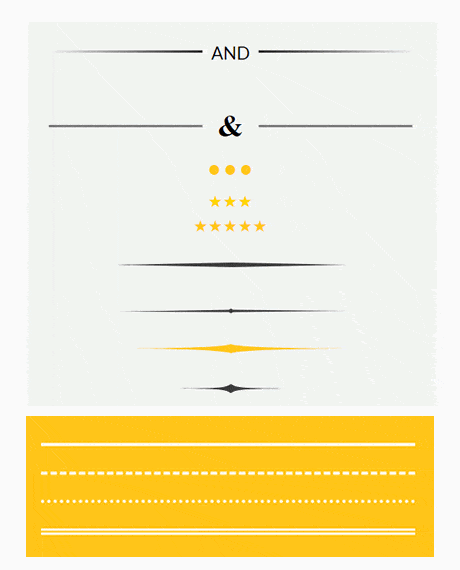
A collection of styled separators (horizontal rules) using the Beaver Builder HTML module. Helps Beaver Builder Lite user who do not have the Separator module.
Minimum BB plugin required: Lite Saved under: Rows
Skill level: Beginner Contributor: David Waumsley
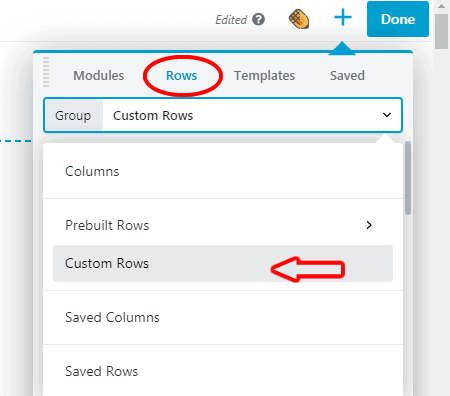
Template Location
Video
Notes
Mostly of use to Beaver Builder Lite users who do not have a Separator Module.
See the Separators template in action.
Code
HTML
<hr class="custom-hr">
This for the one with text included:
<hr class=”custom-hr” data-content=”AND”><p>And</p>
For other see here:
https://freefrontend.com/html-hr-css/
CSS
Simple Horizontal Rule (same as Beaver Builders separator module)
.custom-hr{ border-top: 4px solid #ffffff; /* thickness/style/color/ Suitable styles: solid, dotted, dashed & double */ margin:0 auto; /* align left or right replace with: float: left; */ width: 50%; /*change horizontal width*/ } hr{border:0;}/*for themes that have not reset styles*/
This it the CSS for the example that include text./* This uses (:before or :after). Because <hr>s are no-content style elements (they have no closing tag) it is not supposed to work. It does, and perhaps will always, but if concerned don't use.*/ .custom-hr { line-height: 1em; position: relative; outline: 0; border: 0; color: black; text-align: center; height: 15px; opacity: 1; } .custom-hr:before { content: ""; background: linear-gradient(to right, transparent, black, transparent); position: absolute; left: 0; top: 50%; width: 100%; height: 3px; } .custom-hr:after { content: attr(data-content); position: relative; display: inline-block; color: black; padding: 0 0.5em; line-height: 1em; color: black; font-size: 23px; background-color: #f2f2f2; } p{ margin: 0; font-size: 0; padding: 0; }